The Best Web Analytics APIs Compared
If you need to pull analytics data into your own apps, dashboards, or automated reports, you need an API. The problem is that “analytics API” covers a wide range of tools — from open-source platforms you control entirely to Google’s OAuth-heavy ecosystem — and they work very differently from each other.
I’ve spent a lot of time integrating these APIs for clients, and the friction points aren’t where most people expect. It’s rarely about the data itself. It’s authentication complexity, rate limit surprises, and how much the API’s design matches the way you actually think about your data. This guide compares the five most relevant options: Plausible Stats API, Umami API, Matomo Reporting API, PostHog API, and briefly, the GA4 Data API as the proprietary baseline.
The focus here is on the API layer — how you authenticate, query, and integrate. If you’re still evaluating the tools themselves at a product level, check out the full breakdown of Google Analytics alternatives first, then come back here when you’re ready to go deeper on the developer side. And if the concept itself is new, start with web analytics API explained — it covers what these interfaces do before you compare vendors.
How I Evaluated Each Analytics API
Not every API is built for the same use case, so I looked at five dimensions that actually matter when you’re building something on top of analytics data:
- Authentication: How you prove identity — API key in a header, Bearer token, OAuth2, or a query parameter. Simpler is better for server-side scripts; OAuth is unavoidable for user-delegated access.
- Response formats: JSON is table stakes, but some APIs also return CSV, XML, or TSV — useful for piping into spreadsheets or legacy systems.
- Rate limits: How many requests per hour or day before you get throttled. Matters a lot if you’re polling real-time data or running batch jobs across many sites.
- Self-hostable: Whether you can run the underlying analytics platform on your own infrastructure. Relevant for data sovereignty, GDPR compliance, and cost at scale.
- Ease of integration: How much boilerplate you need before you get data back. A single curl command is better than a 400-line OAuth flow for most use cases.
Quick Comparison: Analytics APIs at a Glance
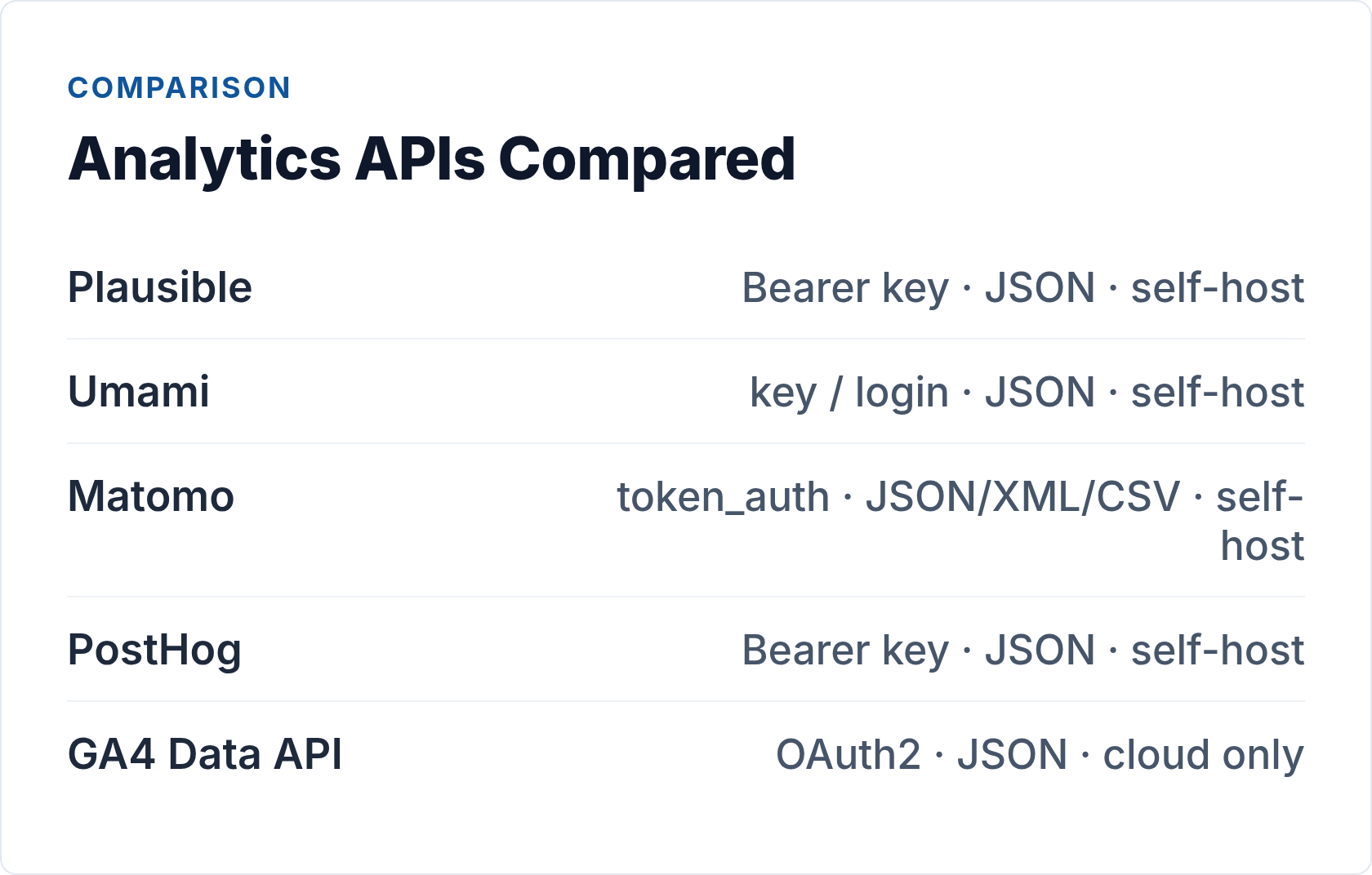
| Tool | Auth method | Format | Rate limit | Self-host | Ease |
|---|---|---|---|---|---|
| Plausible | Bearer token (header) | JSON | 600 req/hr | Yes | Excellent |
| Umami | API key (cloud) / login token (self-hosted) | JSON | Not published | Yes | Good |
| Matomo | token_auth (header or query param) | JSON, XML, CSV, TSV | Configurable | Yes | Moderate |
| PostHog | Bearer token (personal key) | JSON | Per plan | Yes | Good |
| GA4 Data API | OAuth2 / service account | JSON | Per property | No | Complex |
Plausible Stats API — Best for Clean, Fast Integrations
Plausible is the one I recommend first for most teams. The API is a pleasure to work with: one endpoint, Bearer token auth, JSON responses, and a 600 requests/hour rate limit that’s generous for most use cases.
The current endpoint is POST /api/v2/query. You pass a JSON body with your site_id, the metrics you want (visitors, pageviews, bounce_rate, etc.), a date_range, and optional dimensions and filters. The v1 GET-based endpoints (/api/v1/stats/*) still exist but are considered legacy — build against v2.
curl -X POST https://plausible.io/api/v2/query \
  -H "Authorization: Bearer YOUR_API_KEY" \
  -H "Content-Type: application/json" \
  -d '{
    "site_id": "yoursite.com",
    "metrics": ["visitors", "pageviews", "bounce_rate"],
    "date_range": "30d",
    "dimensions": ["visit:page"]
  }'
You generate the API key from plausible.io/settings. That’s it — no OAuth dance, no token refresh logic, no SDK required. The same API works on both Plausible Cloud and self-hosted instances, so if you start on cloud and later migrate to self-hosted, your integration code doesn’t change.
The main limitation is that Plausible deliberately keeps its data model simple. You won’t find session-level data, funnel queries, or raw event exports here. If you need those, you’re in PostHog territory.
Documentation: plausible.io/docs/stats-api
Umami API — Lightweight and Self-Hostable
Umami is another privacy-first, open-source option with a straightforward API. The auth model differs slightly depending on whether you’re using Umami Cloud or a self-hosted instance.
On Umami Cloud, you generate an API key from your account settings and pass it as the x-umami-api-key request header against the base URL https://api.umami.is. On a self-hosted instance, you first authenticate by POSTing credentials to /api/auth/login with your username and password — you get a Bearer token back, and then use that for subsequent requests:
# Step 1: Get a token (self-hosted)
curl -X POST https://your-umami.example.com/api/auth/login \
  -H "Content-Type: application/json" \
  -d '{"username": "admin", "password": "your-password"}'

# Step 2: Query website stats
curl https://your-umami.example.com/api/websites/{websiteId}/stats \
  -H "Authorization: Bearer TOKEN_FROM_STEP_1"
The two-step login flow on self-hosted adds a small amount of code — you need to handle token retrieval and store the result. It’s not complex, but it’s worth accounting for in your integration design, particularly if you’re building something that runs on a schedule.
Umami’s API covers pageviews, sessions, events, and per-URL stats. It doesn’t have a public rate limit published for self-hosted instances, which is effectively unlimited for most personal or small-team deployments. The data model is intentionally lean, which is both a feature (low overhead) and a limit (no advanced segmentation).
Documentation: docs.umami.is
Matomo Reporting API — Most Flexible Format Options
Matomo has the most feature-rich API of the open-source options, and that power comes with a learning curve. The API surface is enormous — essentially every report in the Matomo UI has a corresponding API method. But the core structure is consistent once you understand it.
All requests go to a single endpoint: index.php on your Matomo instance. You specify the module, method, and format as query parameters:
# GET request (token appears in URL — use POST in production)
https://your-matomo.com/index.php?module=API&method=VisitsSummary.get&idSite=1&period=day&date=today&format=JSON&token_auth=YOUR_TOKEN

# POST request (preferred — token stays out of server logs)
curl -X POST https://your-matomo.com/index.php \
  -d "module=API&method=VisitsSummary.get&idSite=1&period=day&date=today&format=JSON&token_auth=YOUR_TOKEN"
The token_auth parameter is how Matomo authenticates. Prefer POST over GET — with GET, the token appears in URL logs and browser history. You can find your token in Matomo under Settings > Personal > Security > Auth Token.
One gotcha if you’re using Matomo for WordPress: the token format is different. Instead of the standard token, you pass username:application_password where the application password is a WordPress Application Password generated from your WP user profile — not your Matomo token.
The format flexibility is genuinely useful: JSON for programmatic consumption, CSV for spreadsheet pipelines, TSV for legacy systems, XML if you’re integrating with older enterprise tools. Rate limits are configurable at the server level — on self-hosted, you control this entirely.
Documentation: developer.matomo.org
PostHog API — Best for Event-Level and Product Analytics
PostHog sits at the intersection of analytics and product intelligence. Where Plausible and Umami are built around pageviews and sessions, PostHog is built around events — individual user actions you can query, segment, and funnel against.
Authentication uses a personal API key passed as a Bearer token. Endpoints are organized under /api/projects/{project_id}/. You can query both aggregated analytics and raw event data, and PostHog supports HogQL — a SQL-like query language — for more complex data pulls:
curl https://app.posthog.com/api/projects/YOUR_PROJECT_ID/events/ \
  -H "Authorization: Bearer YOUR_PERSONAL_API_KEY" \
  -G \
  --data-urlencode "event=page_view" \
  --data-urlencode "limit=100"
PostHog is open source and self-hostable, though the self-hosted setup is considerably heavier than Plausible or Umami — it runs on ClickHouse and requires more infrastructure. The cloud version is where most teams start.
If your use case is session-level web traffic reporting, PostHog is probably more than you need. Where it earns its place is when you need to answer questions like “which users completed a funnel,” “what events preceded a conversion,” or “how does feature usage correlate with retention.” For that kind of query, the API is excellent.
Documentation: posthog.com/docs/api
GA4 Data API — The Proprietary Option
For completeness: Google Analytics 4 exposes its data through the Google Analytics Data API (v1). Authentication is via OAuth2 or a service account — the latter is the practical choice for server-side scripts, but it still involves downloading a JSON credentials file, setting up a Google Cloud project, and granting the service account access to each property. The runReport method is the main query endpoint.
I won’t spend much space here. If you’re already deep in the Google ecosystem and GA4 is your primary source of truth, the API works. But the setup overhead is significantly higher than any of the open-source options, you’re tied to Google’s data retention and sampling policies, and there’s no self-hosting path. For teams already moving toward privacy-first analytics, the GA4 API typically isn’t where you want to invest integration effort.
Practical API Patterns Worth Knowing
A few things that come up across all of these APIs:
Keep keys server-side. Whether it’s a Plausible Bearer token, a Matomo token_auth, or a PostHog personal key — never expose these in client-side JavaScript. All of these APIs are designed for server-to-server calls. Build a thin proxy endpoint in your own backend if you need to feed data to a browser-based dashboard.
Handle 429s with backoff. Plausible’s 600 req/hr limit is per API key. If you’re querying across many sites, you’ll hit it. Standard exponential backoff with jitter handles this cleanly — catch the 429, wait, retry. The same pattern applies to any of these APIs under load.
Validate responses before you trust them. Analytics APIs can return nulls, empty result sets, or edge-case values (especially around very low traffic periods). Build schema validation into your data pipeline rather than assuming the shape is always what you expect. This connects to automated reporting workflows — the validation layer is what makes automated reports trustworthy rather than embarrassing when something breaks.
“Real-time” usually means polling. None of these APIs push data to you. If you need a live dashboard, you’re polling on an interval — typically every 30-60 seconds for a “real-time” feel. True streaming (webhooks, SSE) exists in some product analytics tools for event capture, but the reporting APIs are all request/response.
Search data follows the same rules. If the same warehouse also needs rankings, keyword volumes or backlinks, the SEO data API overview applies this lens to that side of the join — which sources are observed versus modelled, and how the four billing models behave under a daily pull.
Which Analytics API Should You Use?
The honest answer depends on what you’re building and what platform you’re already using — or want to use.
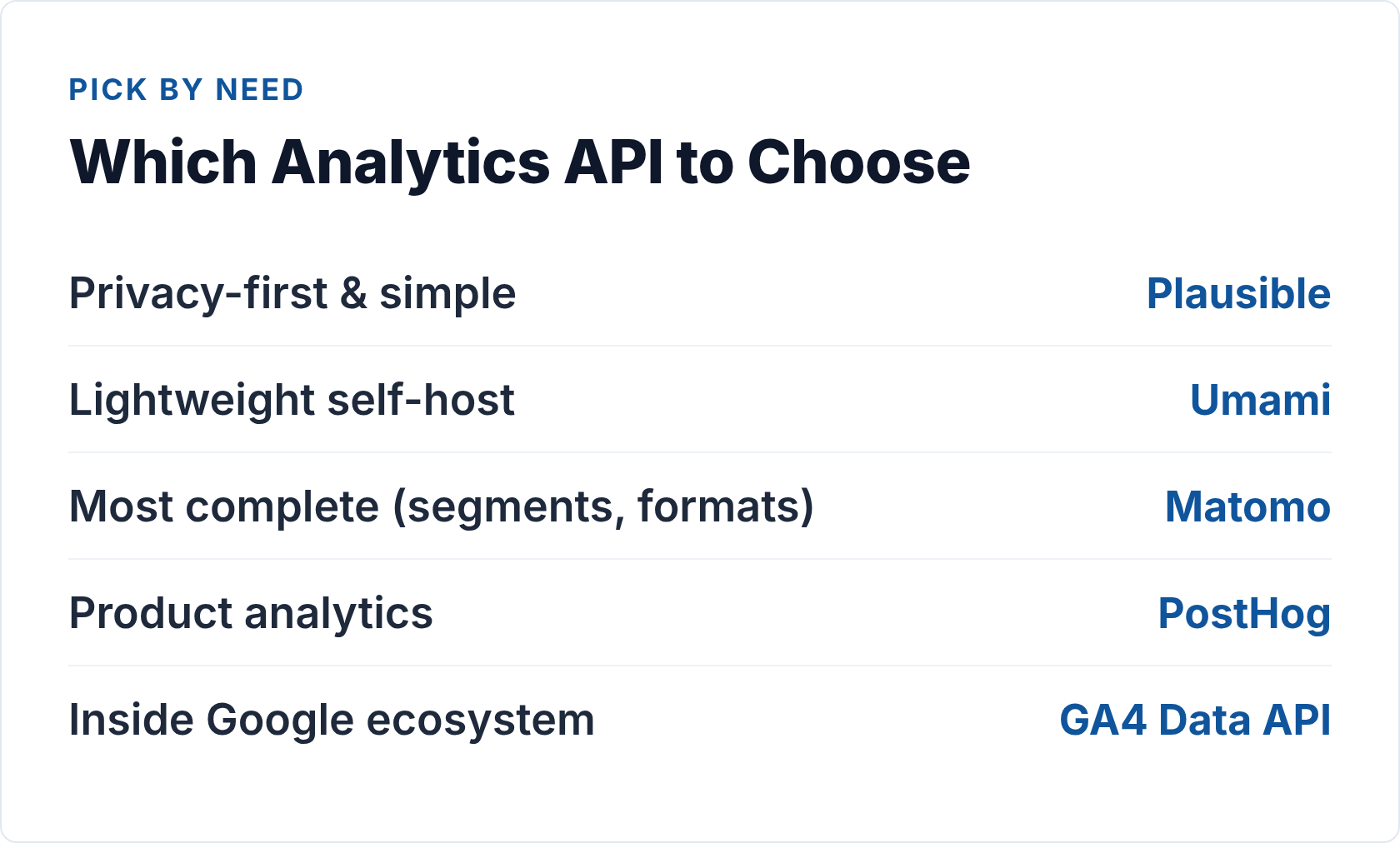
Use Plausible if you want the simplest possible integration. One endpoint, one header, JSON back. If you’re building a reporting dashboard, a Slack bot with weekly stats, or a script that exports data to a spreadsheet, Plausible’s API gets you there in under an hour. The privacy-first, cookieless data model is a genuine advantage, not just a marketing claim — you get cleaner visitor numbers without consent-gating.
Use Umami if you need something similarly lightweight but want full control over your data infrastructure. The cloud version is nearly as easy as Plausible; the self-hosted version requires a small amount of additional token handling but gives you complete data ownership.
Use Matomo if you need the richest feature set from an open-source API — ecommerce tracking, goal conversions, segmentation, multi-site management — or if you need CSV/XML output for integration with systems that don’t speak JSON. Matomo’s API surface is the deepest of the three open-source options; that’s also what makes it the steepest to learn.
Use PostHog if your primary need is event-level product analytics rather than traffic reporting. For web traffic alone, it’s more infrastructure than you need. For product teams who want to query user behavior, build funnels, and correlate analytics with feature usage, the HogQL query layer is genuinely powerful.
Use GA4 if you’re locked into it for business reasons and need programmatic access. Just go in with clear eyes about the auth overhead and the fact that you’re building on Google’s terms.
For most teams starting fresh, I’d go Plausible first — it’s the fastest path from zero to working integration, the API is well-designed, and the underlying analytics platform produces data I actually trust. If your requirements grow past what Plausible offers, Matomo is the natural next step for depth, and PostHog is the natural next step for event complexity.
// Alicia Bennett
Lead Web Analyst based in Toronto with 12+ years in digital analytics — privacy-first tracking, open-source tools, and the analytics API layer that sits under every dashboard.
More about the author →